
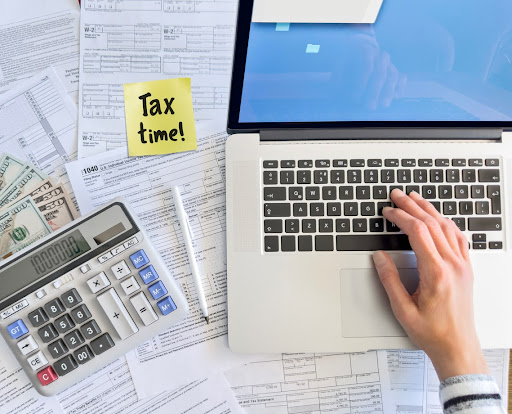
The traditional tax preparation appointment meant sitting in an office, shuffling documents, and explaining your situation face-to-face. Times have changed. Remote tax preparation has revolutionized how Macomb County residents prepare their taxes. You can now work with professional tax preparers entirely online, from your home, on your schedule. Understanding the remote tax preparation Macomb County process helps you get started confidently and efficiently.
For many people, remote preparation is ideal. No commute. No office distractions. And no time pressure during your appointment. You prepare documents at your own pace. You can gather information throughout the week rather than scrambling before an appointment. The remote tax preparation Macomb County approach offers flexibility traditional offices cannot match.
Let’s explore how this process works, what you need to prepare, and how to ensure smooth communication with your preparer.
Why Remote Tax Preparation Is Growing
Remote tax preparation has become standard rather than exceptional. Technology enables secure document sharing, video consultations, and digital signing. Preparers can access documents in real-time. Clients can ask questions via email or phone without scheduling. The efficiency gains benefit everyone.
For tax preparers, remote work expands their reach. They’re no longer limited to clients in their geographic area. A Macomb County resident can work with a preparer anywhere. This competition drives quality up and prices down. Clients benefit from access to specialized expertise previously unavailable locally.
Tax Planning St. Clair Shores and across Michigan increasingly uses remote models. Residents appreciate the flexibility. Preparers appreciate the efficiency. It’s a win-win arrangement that’s become the new normal for many engagements.
Preparing for Your Remote Tax Preparation Appointment
The remote tax preparation Macomb County process begins with preparation. Gather your documents before contacting a preparer. You’ll need prior-year returns, income statements (W-2s, 1099s), expense documentation, investment statements, and anything else related to deductions you’re claiming.
Organization matters more in remote preparation than in-person meetings. Your preparer can’t rifle through your papers. You must send organized documentation. Create folders for different income categories: employment, self-employment, investment, rental. Within each folder, organize documents chronologically. This organization saves time and reduces errors.
Starting preparation early gives you time to locate missing documents. If you’re missing a 1099, you can request it from the issuer. If you can’t find expense receipts, you have time to gather or reconstruct them. Remote preparation doesn’t work well for last-minute scrambling, so plan ahead.
Document Sharing and Security in Remote Preparation
Security is a legitimate concern when sharing tax documents remotely. Your tax return contains sensitive personal information. Ensure your preparer uses secure document sharing platforms. HIPAA-compliant services and encrypted platforms protect your information. Never email unencrypted documents containing Social Security numbers or financial details.
Most professional tax preparers use secure portals. You log in, upload documents, and download completed returns. All communication happens within the encrypted platform. Your personal and financial information never travels over unsecured email or messaging services.
Ask your preparer about their security practices before you start. Confirm they use encrypted platforms. Verify that documents are deleted after filing deadlines. Understanding their security protocols gives you confidence in the process.
The Remote Tax Preparation Macomb County Communication Process
Communication is the key to successful remote preparation. Since you’re not meeting in person, clear written communication prevents misunderstandings. When you upload documents, include notes about specific circumstances. For example, “Expense category X includes equipment purchased in December. Separately, I had a major one-time expense in April that won’t repeat.”
Tax Planning St. Clair Shores professionals recommend establishing communication preferences upfront. How quickly does your preparer respond to emails? What hours are they available for phone calls? Can you text with quick questions? Understanding expectations prevents frustration.
Most remote preparers provide draft returns for client review before filing. This is your opportunity to verify accuracy. Review the return carefully. Confirm income amounts. Check that you’re claiming deductions you discussed. Ask questions about anything unclear. This review process catches errors before they’re filed with the IRS.
Video Consultations in Remote Tax Preparation
Some remote preparation involves video consultations. These work similarly to in-person meetings but happen via video call. Your preparer asks questions about your situation. You discuss deductions and tax planning. Everything is recorded or documented for future reference.
Video consultations work well for complex situations requiring detailed discussion. For straightforward returns, email communication and document sharing might suffice. Discuss with your preparer whether video consultation makes sense for your situation.
Schedule video calls at times that work for both parties. Have your documents nearby so you can reference them during discussion. Take notes about recommendations or action items. Video consultations should be efficient and focused.
Remote Tax Preparation Fees and Billing
Remote preparation often costs less than in-person services because preparers eliminate office overhead. However, billing structures vary. Some preparers charge flat fees. Others charge hourly rates. Some charge based on complexity or return type.
Tax Planning St. Clair Shores region preparers should provide fee estimates upfront. Confirm what’s included in the fee. Does it cover one review pass or multiple revisions? Does it include amended return preparation if needed? Are there additional charges for complex questions or situations?
Understanding billing prevents surprises. Confirm payment methods and due dates. Some preparers require payment before filing. Others invoice after completion. Clarify these details before you start.
After Filing: Remote Follow-Up and Questions
Filing is not the end of the relationship. After your return is filed, you might have questions. Did the IRS accept the return? When will refunds arrive? Did you set up estimated payments correctly for next year?
Remote preparers should remain available for reasonable follow-up questions. This doesn’t mean unlimited consulting, but basic questions about your completed return should be answerable. Tax Planning St. Clair Shores professionals typically provide this follow-up as part of their service commitment.
Keep copies of all documents and correspondence. Save your return and all supporting schedules. Organize everything for next year’s preparation. Good documentation makes next year’s process faster and easier.
Frequently Asked Questions
Is remote tax preparation as thorough as in-person preparation?
Yes. Quality depends on preparer expertise, not preparation method. Remote preparers often take more time because they’re not pressured by back-to-back appointments. Thorough documentation and communication enable equally thorough preparation remotely.
Are my tax documents safe when shared remotely?
When using encrypted secure platforms, yes. Avoid unencrypted email. Confirm your preparer uses HIPAA-compliant or equivalently secure services. Never share documents through unsecured messaging apps or regular email.
Can I get help understanding my completed return if I prepared remotely?
Yes. Most remote preparers provide return explanations. The IRS also publishes guidance on tax return forms and schedules to help taxpayers understand their filings. Don’t hesitate to ask your preparer about anything unclear.
What if I need to file an amended return after remote preparation?
Contact your preparer. If errors were made in preparation, they should file the amended return at no additional cost. If you want to amend for additional deductions you found, your preparer can prepare the amended return, usually for a reduced fee.
How do I ensure I have everything organized before starting remote preparation?
Create categories for different income types. Within each category, organize chronologically. List items you’re unsure about. Ask your preparer what documents they need before you start gathering. Better to ask than waste time collecting unnecessary items.
Embrace Remote Tax Preparation for Convenience and Quality
Remote tax preparation offers flexibility without sacrificing quality. You work at your pace. You control the timeline. And you communicate in writing when appropriate and via video when needed. The efficiency benefits both you and your preparer.
The key is proper preparation and clear communication. Organize documents before you start. Upload them to secure platforms. Communicate expectations upfront. Review draft returns carefully. Ask questions about anything unclear. These practices ensure successful remote preparation.
Stout Tax Strategies offers remote tax preparation for Macomb County residents. We maintain secure platforms for document sharing. We’re responsive to client questions. We provide clear explanations of tax positions and deductions. We handle the entire process remotely, from initial consultation through filing and beyond.
Our remote tax preparation Macomb County services bring professional expertise to your home. You don’t need to commute or arrange time off. You submit documents digitally. We prepare your return and communicate throughout the process. You approve and file securely from anywhere.
Contact us today to discuss how remote tax preparation works for your situation. Let’s schedule your first consultation and show you how convenient and effective remote preparation can be. We’re ready to help you prepare your 2026 return remotely, efficiently, and thoroughly.